
How to build a Photo Pile Collage in VB.NET and C# featuring imaging effects with ImageDraw
Product ImageDraw SDK for .NET Published 10/24/2007 Updated 10/24/2007
Requirements
Neodynamic ImageDraw SDK for .NET
Microsoft .NET Framework (2.0 or later)
Microsoft Visual Studio .NET (2005 or later) or Visual Basic Express Edition or Visual C# Express Edition
This ImageDraw demo - which source code files can be found at the end of this page available for downloading - demonstrates how easily you can use ImageDraw object model and .NET Windows Forms Framework to design a Photo Pile Collage application.
The following figure is a screenshot of the .NET Photo Pile Collage application that leverages .NET Windows Forms (VB.NET and C#) and ImageDraw.

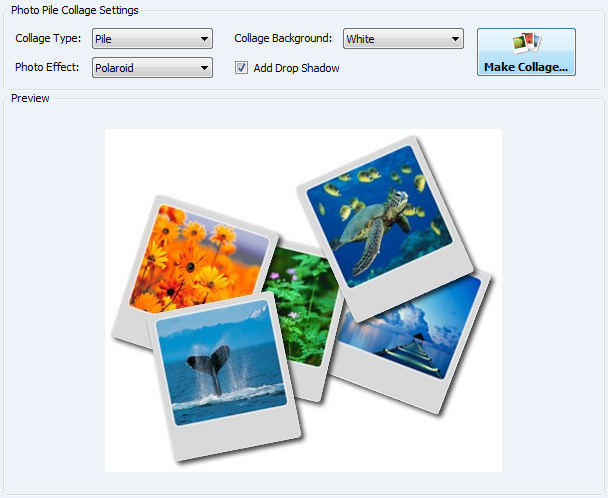
.NET Photo Pile Collage featuring ImageDraw effects such as drop shadow, Polaroid, Filmstrip and Mailstamp.
This Photo Pile Collage .NET sample application features:
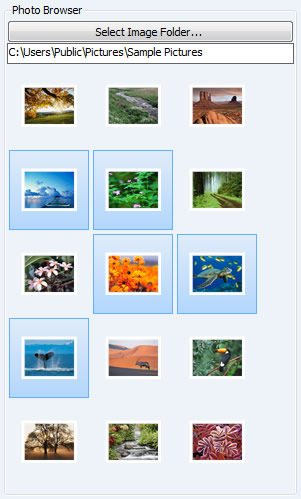
- Visual Photo Thumbnails Highlighter
The left pane of Photo Pile Collage Builder UI is a list of available photos which are get from the user's selected folder for making the picture collage. Each photo is dynamically resized by ImageDraw for creating thumbnails.
- Collage Settings and Imaging Effects provided by ImageDraw
.NET Photo Pile Collage Builder provides some of the Collage settings that Google Picasa software (http://picasa.google.com/) features like Collage Type (Pile or Grid) and background color for Pile collage. In addition to those Google Picasa options, we included some other interested imaging effects (Drop Shadow, Polaroid, Filmstrip and Mailstamp) for applying on each photo on the collage which are built-in ImageDraw object model.
Sample Files Download
Here are the VB.NET and C# versions of this sample. Please download the zip file and extract it. After that, you'll find all necessary files to reproduce this step by step guide.
- For Visual Basic.NET: ImageDrawPhotoPileCollageWindowsVB.zip (230 KB)
- For Visual C#.NET: ImageDrawPhotoPileCollageWindowsCS.zip (211 KB)
Remember to download and install ImageDraw in order to reproduce this sample demo.
Need help? Contact Support
We provide best-in-class customer service and support directly from members of our dev team! If we are available when you contact us, you will get a response in few minutes; otherwise the maximum turnaround is 24hs in most cases.