
Neodynamic Barcode Professional 7.0 for ASP.NET (WebControl)
Microsoft ASP.NET 2.0 or greater
Microsoft Visual Studio 2005/2008/2010 or Visual Web Developer
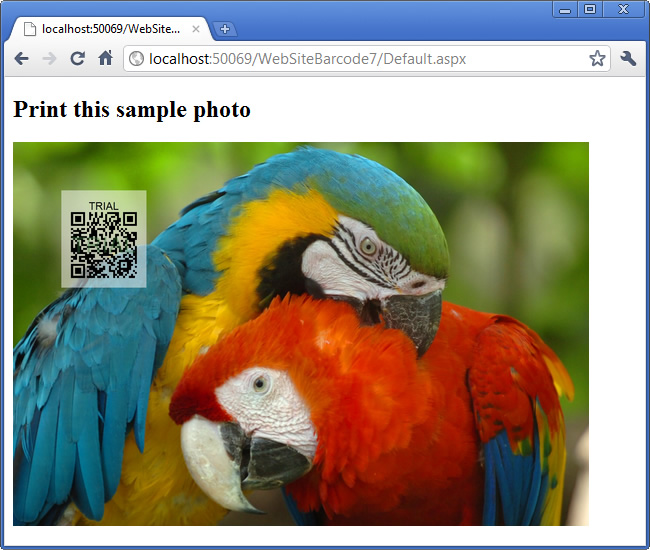
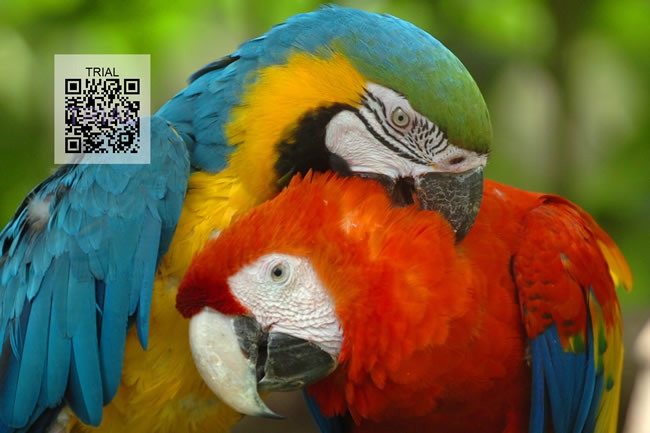
In this guide you will learn how to draw and print QR Code barcodes on high quality photos or images in an ASP.NET website.
In the following sample code, we'll be doing this:
To reproduce this code, follows these steps:
Imports System.Web

Imports Neodynamic.WebControls.BarcodeProfessional

Public Class GenHQBarcode
	Implements IHttpHandler

	Public Sub ProcessRequest(context As HttpContext) Implements IHttpHandler.ProcessRequest

		Dim buffer As Byte() = Nothing
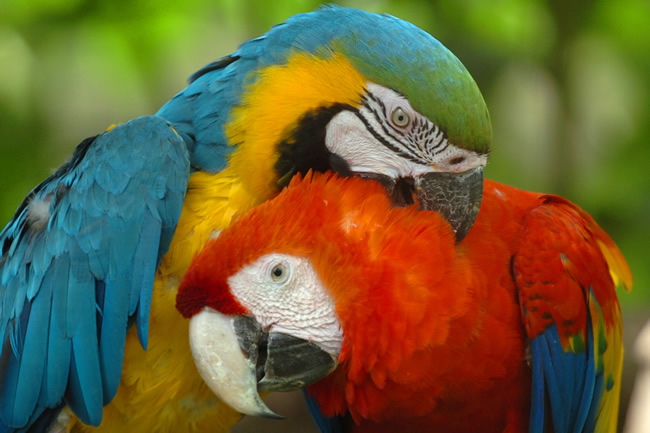
		'get the HQ image or photo for drawing the barcode onto it
		Using myImage As System.Drawing.Image = System.Drawing.Image.FromFile(context.Server.MapPath("~/images/macaws.jpg"))
			'create a Graphics object on the image for drawing barcode
			Using gfx As System.Drawing.Graphics = System.Drawing.Graphics.FromImage(myImage)
				'create a BarcodeProfessional object and draw a QR Code barcode on the image
				Using bcp As New BarcodeProfessional()
					'barcode unit is in inch (change it if needed)
					bcp.BarcodeUnit = BarcodeUnit.Inch
					'Set the barcode to QR Code standard
					bcp.Symbology = Symbology.QRCode
					'Set the QR Code module size (each small black square is a module)
					bcp.QRCodeModuleSize = 0.0208
					'set the value to encode per your needs...
					'in this case the URL of the original photo
					bcp.Code = "http://www.stockvault.net/photo/113075/macaws"
					'set a Quiet zone for the barcode
					bcp.QuietZoneWidth = 0.1
					bcp.BottomPadding = 0.1
					bcp.TopPadding = 0.1
					'use a semi-transparent white background
					'so the QR Code looks like a watermark
					bcp.BackColor = System.Drawing.Color.FromArgb(128, 255, 255, 255)
					'draw the QR Code barcode onto the image at x=0.5in & y=0.5in!!!
					bcp.DrawOnCanvas(gfx, New System.Drawing.PointF(0.5F, 0.5F))
				End Using
			End Using

			'save the output image to a memory stream
			Using ms As New System.IO.MemoryStream()
				' Get an ImageCodecInfo object that represents the JPEG codec.
				Dim myImageCodecInfo As System.Drawing.Imaging.ImageCodecInfo = GetEncoderInfo("image/jpeg")

				' Create an Encoder object based on the GUID

				' for the Quality parameter category.
				Dim myEncoder As System.Drawing.Imaging.Encoder = System.Drawing.Imaging.Encoder.Quality

				' Create an EncoderParameters object.
				' An EncoderParameters object has an array of EncoderParameter objects. In this case, there is only one
				' EncoderParameter object in the array.
				Dim myEncoderParameters As New System.Drawing.Imaging.EncoderParameters(1)

				' Save the bitmap as a JPEG file with quality level 90
				Dim myEncoderParameter As New System.Drawing.Imaging.EncoderParameter(myEncoder, 90L)
				myEncoderParameters.Param(0) = myEncoderParameter

				'save as jpeg
				myImage.Save(ms, myImageCodecInfo, myEncoderParameters)
				'save to buffer
				buffer = ms.ToArray()
			End Using
		End Using

		'render the HQ photo + barcode back to the browser
		context.Response.ContentType = "image/jpeg"
		context.Response.BinaryWrite(buffer)
	End Sub

	Private Shared Function GetEncoderInfo(mimeType As String) As System.Drawing.Imaging.ImageCodecInfo
		Dim j As Integer
		Dim encoders As System.Drawing.Imaging.ImageCodecInfo()
		encoders = System.Drawing.Imaging.ImageCodecInfo.GetImageEncoders()
		For j = 0 To encoders.Length - 1
			If encoders(j).MimeType = mimeType Then
				Return encoders(j)
			End If
		Next
		Return Nothing
	End Function

	Public ReadOnly Property IsReusable() As Boolean Implements IHttpHandler.IsReusable
		Get
			Return False
		End Get
	End Property

End Class
using System;
using System.Web;

using Neodynamic.WebControls.BarcodeProfessional;

public class GenHQBarcode : IHttpHandler {

    public void ProcessRequest (HttpContext context) {

        byte[] buffer = null;
        //get the HQ image or photo for drawing the barcode onto it
        using (System.Drawing.Image myImage = System.Drawing.Image.FromFile(context.Server.MapPath("~/images/macaws.jpg")))
        {
            //create a Graphics object on the image for drawing barcode
            using (System.Drawing.Graphics gfx = System.Drawing.Graphics.FromImage(myImage))
            {
                //create a BarcodeProfessional object and draw a QR Code barcode on the image
                using (BarcodeProfessional bcp = new BarcodeProfessional())
                {
                    //barcode unit is in inch (change it if needed)
                    bcp.BarcodeUnit = BarcodeUnit.Inch;
                    //Set the barcode to QR Code standard
                    bcp.Symbology = Symbology.QRCode;
                    //Set the QR Code module size (each small black square is a module)
                    bcp.QRCodeModuleSize = 0.0208;
                    //set the value to encode per your needs...
                    //in this case the URL of the original photo
                    bcp.Code = "http://www.stockvault.net/photo/113075/macaws";
                    //set a Quiet zone for the barcode
                    bcp.QuietZoneWidth = 0.1;
                    bcp.BottomPadding = 0.1;
                    bcp.TopPadding = 0.1;
                    //use a semi-transparent white background
                    //so the QR Code looks like a watermark
                    bcp.BackColor = System.Drawing.Color.FromArgb(128, 255, 255, 255);
                    //draw the QR Code barcode onto the image at x=0.5in & y=0.5in!!!
                    bcp.DrawOnCanvas(gfx, new System.Drawing.PointF(0.5f, 0.5f));
                }
            }

            //save the output image to a memory stream
            using (System.IO.MemoryStream ms = new System.IO.MemoryStream())
            {
                // Get an ImageCodecInfo object that represents the JPEG codec.
                System.Drawing.Imaging.ImageCodecInfo myImageCodecInfo = GetEncoderInfo("image/jpeg");

                // Create an Encoder object based on the GUID

                // for the Quality parameter category.
                System.Drawing.Imaging.Encoder myEncoder = System.Drawing.Imaging.Encoder.Quality;

                // Create an EncoderParameters object.
                // An EncoderParameters object has an array of EncoderParameter objects. In this case, there is only one
                // EncoderParameter object in the array.
                System.Drawing.Imaging.EncoderParameters myEncoderParameters = new System.Drawing.Imaging.EncoderParameters(1);

                // Save the bitmap as a JPEG file with quality level 90
                System.Drawing.Imaging.EncoderParameter myEncoderParameter = new System.Drawing.Imaging.EncoderParameter(myEncoder, 90L);
                myEncoderParameters.Param[0] = myEncoderParameter;

                //save as jpeg
                myImage.Save(ms, myImageCodecInfo, myEncoderParameters);
                //save to buffer
                buffer = ms.ToArray();
            }
        }

        //render the HQ photo + barcode back to the browser
        context.Response.ContentType = "image/jpeg";
        context.Response.BinaryWrite(buffer);
    }

    private static System.Drawing.Imaging.ImageCodecInfo GetEncoderInfo(string mimeType)
    {
        int j;
        System.Drawing.Imaging.ImageCodecInfo[] encoders;
        encoders = System.Drawing.Imaging.ImageCodecInfo.GetImageEncoders();
        for (j = 0; j < encoders.Length; ++j)
        {
            if (encoders[j].MimeType == mimeType)
                return encoders[j];
        }
        return null;
    }

    public bool IsReusable {
        get {
            return false;
        }
    }

} 
We provide best-in-class customer service and support directly from members of our dev team! If we are available when you contact us, you will get a response in few minutes; otherwise the maximum turnaround is 24hs in most cases.