Also known as Telepen Barcode, Telepen Numeric, Telepen Full ASCII, SB Electronic Systems Barcode
This Barcode Symbology is supported by the following Neodynamic products: Telepen can be used to represent the full range of ASCII characters. This covers the standard set of printable characters including numbers, capital and lower-case letters and punctuation marks as well as the complete set of non-printable control characters such as carriage-return, line-feed, horizontal tab, etc.
Telepen can also be used to represent numeric data in double-density mode, where an ASCII character is re-interpreted as a pair of numeric characters. There is nothing in the barcode to distinguish between the 2 modes, and the interpretation of the data as ASCII or numeric is set only by the configuration of the reading device.
Telepen systems have been implemented in many countries and very widely in the UK. Most Universities and other academic libraries use Telepen, as do many public libraries. Other users include the motor industry, Ministry of Defense and innumerable well-known organizations for many different applications.
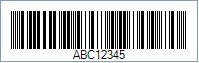
Code property = ABC12345 and TelepenEncoding = Ascii will produce the following barcode image:
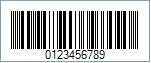
Code property = 0123456789 and TelepenEncoding = Numeric will produce the following barcode image: