
Codablock-F Barcode

This Symbology is also known as USS Codablock F

This Barcode Symbology is supported by the following Neodynamic products:

Overview

It is a 2D stacked-linear barcode that consists of a number of stacked Code 128 symbols. A Codablock F symbol consists of between 2 and 44 rows, each from 4 to 62 symbol characters wide. Each row can be read by a standard code 128 reader and contains additional overhead information relating to row numbering and symbol size to enable the decoded output from each row to be re-assembled to reproduce the complete message in the right sequence.

How to create Codablock-F barcodes using Barcode Professional for

Note: Please refer to the Class Reference documentation for more information about the properties and methods stated in this document.
In order to get a Codablock-F barcode image, please follow these steps:
  • Set the Symbology property to CodablockF
  • Setting up dimensions and quiet zones:
    • Set the BarWidth and BarHeight properties (Values are expressed in Inches)
    • Set the QuietZoneWidth property (Value is expressed in Inches)
    • Set the TopMargin and BottomMargin properties (Values are expressed in Inches)
  • Set the Code property with the value to encode.
Note: Please refer to the Class Reference documentation for more information about the properties and methods stated in this document.
In order to get a Codablock-F barcode image, please follow these steps:
  • Set the Symbology property to CodablockF
  • Setting up dimensions and quiet zones:
    All values for barcode dimensions are expressed in INCHES by default. However, Barcode Professional supports other unit of measurement such as Millimeter, Centimeter, and Mils. For modifying the unit of measurement for barcoding, please set up the BarcodeUnit property as needed.
    • Set the BarWidth and BarHeight properties (Values are expressed in Inches)
    • Set the QuietZone property (Value is expressed in Inches)
  • Set the Code property with the value to encode.

FNC Special characters

The last seven characters of Code Sets A and B (character values 96 - 102) and the last three characters of Code Set C (character values 100 - 102) are special non-data characters with no ASCII character equivalents, which have particular significance to the bar code reading device. Four of those special chars are known as Function Symbol Character a.k.a. FNC1, FNC2, FNC3 & FNC4. You can encode these special Function Symbol Characters by using the following UTF-8 Latin Extended A chars:

  • Ĭ (Alt+0300) for FNC1
  • ĭ (Alt+0301) for FNC2
  • Į (Alt+0302) for FNC3
  • į (Alt+0303) for FNC4

Explicit switching between Code 128 Char Sets

You can handle how the data must be encoded specifying some special chars that represent each Code 128 Char Set. The special chars that tell to Barcode Professional what Code Set must be used to encode the data that follows it are these:

  • É (Alt+0201) which indicates that the Char Set to use must be A
  • Ê (Alt+0202) which indicates that the Char Set to use must be B
  • Ë (Alt+0203) which indicates that the Char Set to use must be C

Example of Codablock-F barcode images

Code property = 1234567890 will produce the following barcode image:
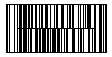
Codablock-F Barcode - Code property = 1234567890